Current Process Flows
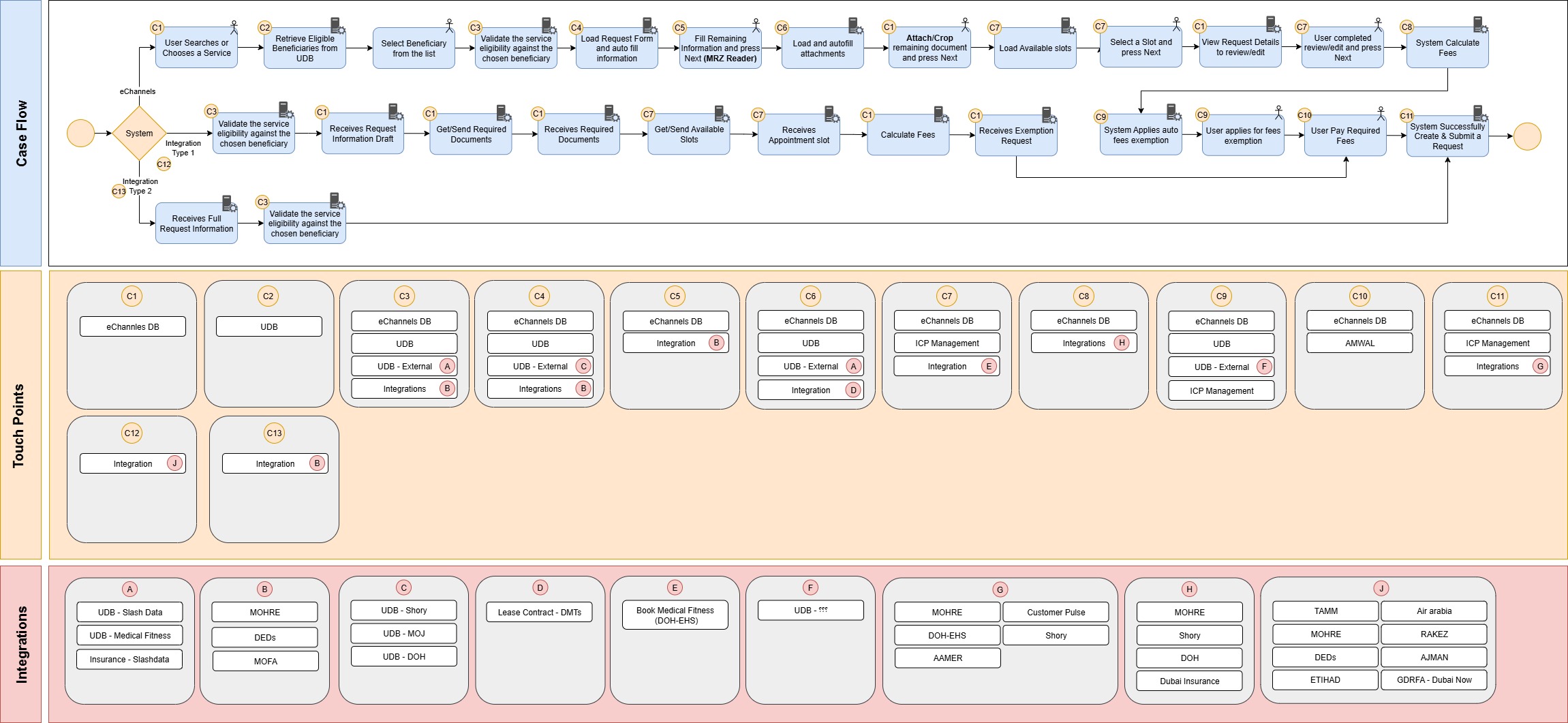
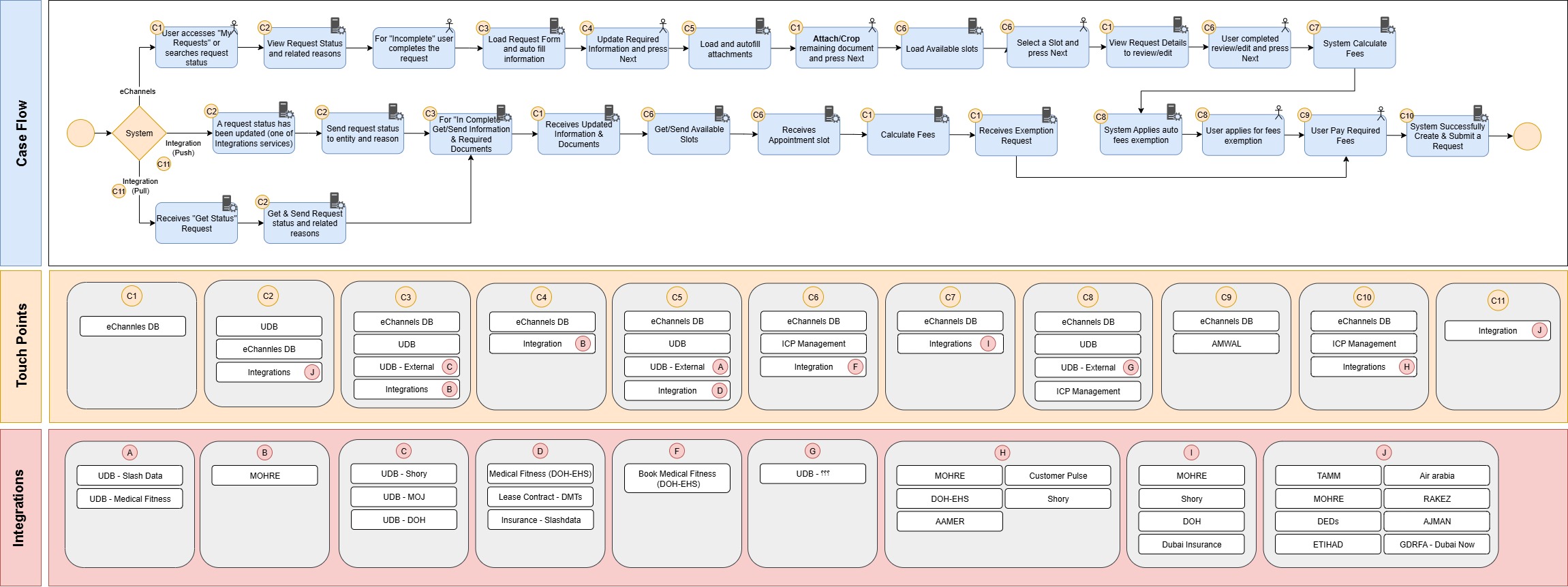
The existing eChannels case flow for Submit Request and Request Status Update. Hover on any step to see details; each step maps to touch points (C1-C13) and integration groups (A-J).
Case Flow — Submit Request
Forward progression from service selection through eligibility, form filling, documents, booking, payment, to final submission.
The eChannels backend mirrors the user flow: validates eligibility (Type 1 & Type 2), receives request info drafts, dispatches document/slot/payment requests, calculates fees, processes exceptions, and finalizes the submitted request with integration callbacks.
Integration Type 1 and Type 2 paths handle direct integration calls to government systems and receives full request information for validation.
Original Reference Diagram
Case Flow — Request Status
Poll/push status retrieval with loop-back handling when status is Incomplete.
The system detects status updates (push from integration or poll), sends request status to the entity with reasons, and for "Incomplete" status triggers the loop-back to the Submit flow touchpoints.
Receives "Get Status Request" calls and returns status payload with related reasons to the eChannels backend.
Original Reference Diagram
Submit Request — Programmatic Flow
Detailed sequence showing the orchestrator dispatching to each specialist agent in order, with tool middleware calling government APIs.
Request Status — Programmatic Flow
Status polling/push flow with loop-back handling for incomplete requests and notification delivery.